
Hitting your Claude or ChatGPT usage limit by Wednesday? Batch Monday's questions, ask for the change, keep threads short and let the MCP do the math.
Wednesday afternoon, five client accounts still unread, and the usage-limit banner appears. Reading used up the week, not asking: a pasted 30-day export, a thread carrying twelve accounts of history, the same review rules retyped every Monday.
Xnurta is an AI retail media platform for brands and agencies, and Xnurta MCP connects Claude, ChatGPT and other MCP clients to your Xnurta data. MCP (Model Context Protocol) is the open standard that lets an AI assistant connect to a tool like your ad platform. Five one-minute habits fix most of the damage. They matter to ad managers who doubt AI answers are worth the back-and-forth, to heads of ads who pay for team plans, and to owners deciding whether to fund more seats.
The limit you hit on Wednesday counts usage tokens, the small chunks of text an AI model counts as it reads and writes. Your Xnurta connection works like a login, and asking more questions doesn't use it up. More terms are in the Amazon Ads MCP glossary.
| Your Xnurta connection (your login) | Usage tokens (your allowance) | |
|---|---|---|
| What it is | The key that lets Claude or ChatGPT reach your Xnurta ad accounts | The chunks of text the model counts as it reads and writes |
| Who sets it | You, when you create the connection in the Xnurta platform | Your Claude or ChatGPT plan |
| What it can reach | Only the ad accounts and permissions you ticked, never wider than your own Xnurta access | Not applicable |
| When it ends | After 30, 90 or 180 days or 1 year, or when you revoke it | The plan's limit resets on the plan's own schedule |
| What uses more | Nothing; it doesn't wear out | Long pastes, long threads, retyped instructions, raw report rows |
Ask Xnurta MCP for the figure you need instead of pasting rows for the model to add up. It is designed to return compact results instead of raw report rows, and its numbers match Xnurta's in-platform reports because both use the same engine.
Habit 1: one question, two ways
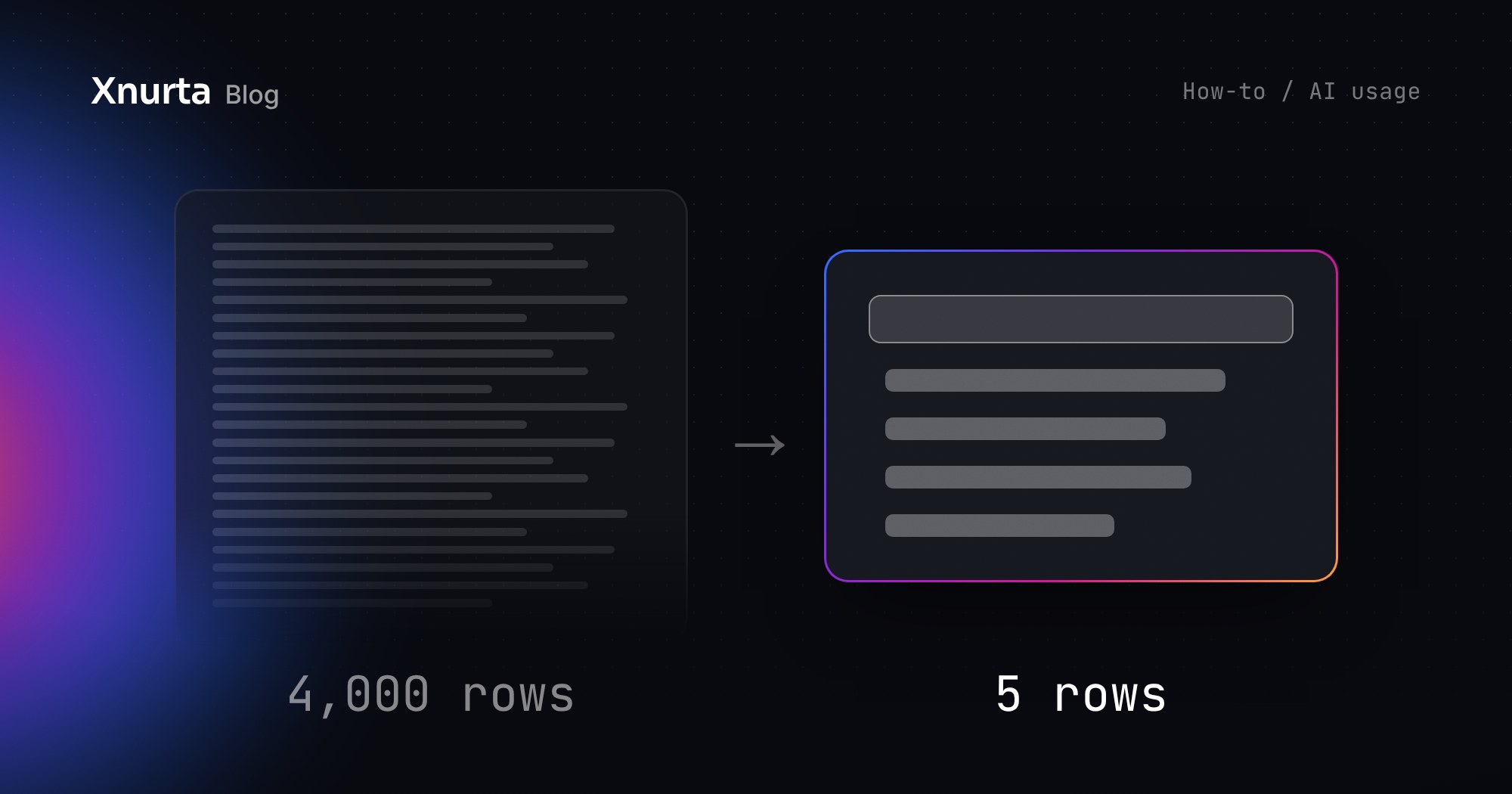
Pasted export
4,000 rows
You paste 30 days of campaign data and the model adds it up. Every row is read, checked and carried through the thread.
One-line request
5 rows
Xnurta MCP returns the five search terms that matter. The assistant reads the answer, not the data behind it.
Illustrative sizes.
Prompt: Top wasted search terms, no raw rows
For ad account [Client B], list the five search terms with the most spend and no orders in the 30 days ending 14 days ago. No raw rows.
How much this matters: on the same 24 Amazon Ads questions, Xnurta MCP used 16 to 30 times fewer tokens per question at the median than the Amazon Ads MCP server (44k to 82k against 1.29M). The Amazon Ads MCP server returns API-level data for your own agent to process, which is what teams building custom agents want. The full method is in our token benchmark.
Xnurta internal test, October 2026: same 24 questions and wording on both routes, seven AI assistants from the Claude, GPT and GLM families, two rounds; token figures from the three assistants with complete logs, conservative end of range. Results vary by account, question and assistant.
Asked account by account, one question takes twelve turns. Batched, it takes one turn and returns twelve rows.
Prompt: Budget pace across twelve accounts
Across ad accounts [A to L], which are off budget pace this month and why? One row each, worst first.
Xnurta MCP returns one compact row per account instead of each account's raw report, so the batch stays light. An official Skill such as Weekly Ads Report can do the same across several ad accounts and end with one summary table. Then drill into the two at the top.
Naming the object, the time window and the output stops a long answer before it starts. “How are my campaigns doing?” invites a tour of every campaign, perhaps 60 rows. The first prompt below returns three.
Prompt: The three campaigns that moved ACOS
For ad account [Client B, US], which three non-brand Sponsored Products campaigns moved ACOS most in the 7 days ending 14 days ago versus the 7 before, and why? Mark the last 14 days as provisional. One table: campaign, spend, ACOS, change, one line of why.
Prompt: What changed since Friday
What changed on [Client B] since Friday, split by teammate, Xnurta AI and automation rules?
Add TACOS to the same row, since Xnurta includes total sales. A campaign whose ACOS rose while TACOS held is a different conversation from one where both rose. Judge ACOS only on data at least 14 days old, because attributed sales keep settling after the click. And before asking why a metric moved, ask what changed. The operation log answers in one reply, and it often explains the move without a whole diagnostic thread.
Each new message is processed together with the conversation above it, so a twelve-account thread makes every reply reread all twelve. A one-job thread rereads one.
A Skill holds the rules you would otherwise retype every Monday, so a 300-word instruction shrinks to one line. Official Skills such as Weekly Ads Report and Search Term Traffic Diagnosis run today. Your own method works the same way: build it by conversation, then ask the assistant to upload it to Xnurta Skill Hub. Colleagues install the same version in Claude or ChatGPT. The Xnurta Skills guide covers the steps.
Prompt: Run an official Skill across accounts
Run the Weekly Ads Report for ad accounts [Client B], [Client C] and [Client D], and end with one summary table.
Prompt: Share your own Skill
Upload this Skill to Xnurta Skill Hub and share it with my organization.
| Habit | Before | After (illustrative) |
|---|---|---|
| 1. Let the connection do the math | A pasted 4,000-row export | A 5-row answer |
| 2. Batch | 12 turns, one per account | 1 turn, 12 rows |
| 3. Delta, not dump | A tour of 60 campaign rows | The 3 campaigns that moved |
| 4. Short threads | Every reply rereads 12 accounts | Every reply rereads 1 job |
| 5. Skill | A 300-word instruction retyped weekly | One line |
No. Shorter prompts change how much the assistant reads, not who decides. Any change to money, bids or archiving shows an old to new preview, waits for your explicit yes, applies, then is read back from Amazon. AI-managed group changes apply on approval in chat with no preview card, so ask for the list before you say yes. To try the habits with nothing at stake, create a read-only connection: it answers every prompt above and changes nothing.
Book a demo and our team will show you Xnurta and Xnurta MCP, and how your team's Monday questions fit into a few short prompts before Black Friday on November 27. Xnurta MCP is included in Xnurta plans and runs in the Claude or ChatGPT plan you already have. Already on Xnurta? Try the batched budget-pace prompt on a read-only connection next Monday. For more ready-made prompts, see the top 10 Xnurta MCP prompts.
Sources: Xnurta internal test, October 2026; Xnurta, Amazon Ads MCP token benchmark (November 4, 2026).
Check it against the console. Pick one line of the answer and compare it with a settled number, 14 or more days old, in the same attribution window, or ask for the rows behind it. Recent days are marked provisional because attributed sales are still filling in, and every change still waits for your yes.
For custom agents it's a strong choice, with direct Amazon Ads API access, and Xnurta also runs on that API. The difference for this job is what comes back: the Amazon Ads MCP server returns API-level data for your agent to process, while Xnurta MCP returns a finished answer. Xnurta MCP needs an Xnurta subscription and is built for answers and approved changes, not for building your own agent, and you can connect both.
They decide whether you buy more AI seats. In an illustrative agency, the same five seats that ran out by Wednesday could cover all twelve client reviews once these habits replace pasted exports, mixed threads and retyped rules.
A usage token is a small chunk of text, often part of a word, that Claude or ChatGPT counts as it reads and writes. Your plan's limit is measured in them.
No fluff. Just what's working.

